Updating Your Contact Information: A Simple Guide
Tuesday, July 30, 2024
Updating Your Contact Information: A Simple Guide for
ACS Members
As
part of our commitment to providing efficient and accurate communication, the
American Conifer Society (ACS) encourages all members to regularly review and
update their contact information. Ensuring your details are current helps us
stay connected and deliver the best possible service to our members.
Steps to Update Your Contact Information:
1.
Sign in:
- Head to our website: Open your
preferred browser and go to the ACS website.
- Sign in using your credentials: Enter your username and password. If you have any issues logging in, please refer to the Frequently Asked Questions (FAQ) page.
2.
Access Accounts + Settings:
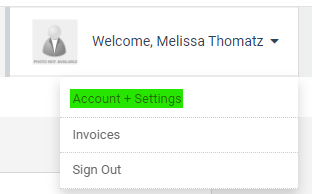
- Once signed in, access "Accounts + Settings" by clicking the down arrow next to your name at the top right of the screen.
 3. Review Your Contact Information: - Check your details: Look over your email, phone number, and address to ensure they are correct.
4. Make Needed Changes: - Edit any outdated or incorrect information: Update your details as necessary.
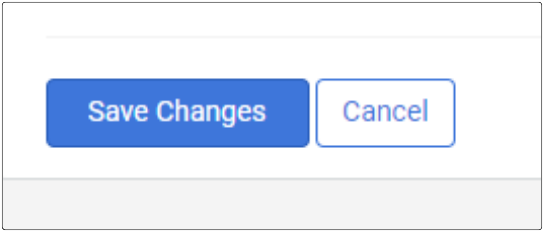
5. Click Save: - Scroll to the bottom and click "Save Changes" to apply your changes.
By
keeping your contact information updated, you will: - Receive important updates: Stay informed
about ACS events, news, and opportunities by providing us with accurate contact
details.
- Avoid missed communications: Updated contact information ensures that you receive all our correspondences, including the Conifer Quarterly, in a timely manner.
- Protect your account: Keeping your contact information up to date adds an extra layer of security to your account by ensuring that we can verify your identity when needed.
Thank you for taking
the time to review and update your contact information. As a
valued member of the ACS community, your efforts contribute to our collective
success and the ongoing support of our shared passion for conifers.
|
|

 SER Director
 CR President
 ACS Secretary
 CR Director
 WR President
 ACS Treasurer
 WR Director
 ACS President
 Email to a Friend