How to Set Up Auto-Renewal
Thursday, January 11, 2024
Posted by: Kathryn Keeler
How to Set Up Auto-Renewal
- Sign In
-
Look for the "Renew Now" option, which will be prominently displayed on your dashboard or within your member account. 
You’ll be prompted to review your profile information for accuracy, make any necessary changes and click on “Save Changes.”
- Select your membership type from the Membership Information dropdown menu. Instead
of choosing the standard membership type, select one that explicitly
mentions "auto-renew" in the name. For example, choose "Household Basic
Auto-Renew."

- Complete your payment by entering your payment information.
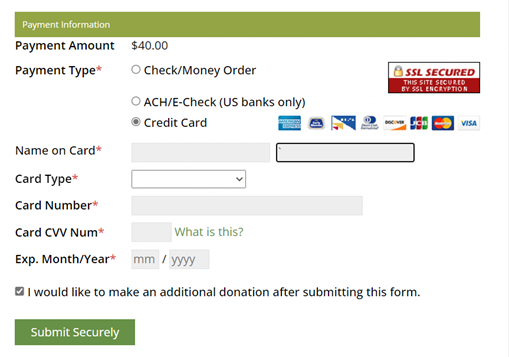
Selecting “I would like to make an additional
donation after submitting this form” will open a secure donation form after the payment is submitted.
Your membership will automatically be updated with the new expiration date after completing the renewal.
-
If
you want to set up auto-renewal more than 90 days before your
membership expires, please contact the national office. We can assist
you by processing it on the admin side to ensure a seamless renewal
experience.
|
|

 ACS Secretary
 WR President
 CR President
 ACS President
 SER Director
 CR Director
 WR Director
 ACS Treasurer
 Email to a Friend